Week 10: Building and maintaining technology

Image from https://goboardmakermaker.com

‘How are public libraries responding to the issue of digital inclusion and people with disabilities?’

Regarding how public libraries are responding to the issue of digital inclusion and people with disabilities, Fitzgerald et al. (2015) describe several different case studies in their article “Digital inclusion, disability, and public libraries: A summary Australian perspective.” One of which is the creation of the Pierre Gorman Award in Victoria. The Pierre Gorman award is awarded biennially to “research and development in library services for people with disabilities” (Fitzgerald et al., 2015). Earlier in the article Fitzgerald et al. (2015) lament the lack of recent or significant research in this field. So although it may seem sad that development in this field needs to be incentivised by an award, by doing so The Library Board of Victoria has created a strong motivator which has led to innovation and the implementation of new policy and projects.

According to Fitzgerald et al. (2015) when this award was originally established the winners were mainly for advancements in assistive technology, nowadays the award has moved to a focus on community development. The winner in 2014, the Campaspe Regional Library, was working on a project which hoped to improve access to the library for people with autism titled “Being Connected: Libraries and Autism.”

The project involved the collaboration of multiple community groups to increase the amount of appropriate resources available and a full assessment of how accessible the libraries are currently to people with autism. Staff training on the Autism Spectrum Disorder was done with a focus on the frontline staff. In regards to specific technology, Fitzgerald et al. (2015) reports that they purchased two ipads, Boardmaker Online and created a Minecraft Club in association with a local special school.

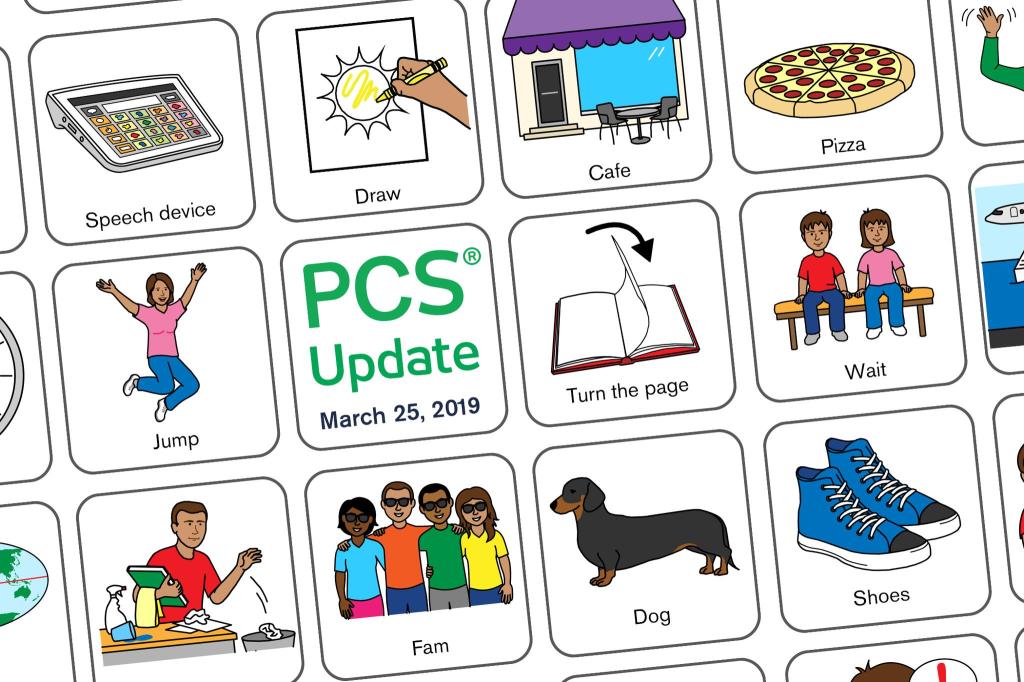
Boardmaker Online is an educational subscription service which provides pictorial activities tailored to an individual’s specific learning needs. These activities can be printed out or used interactively online through the iPads. For the library to provide this free of charge would come as a great relief to parents, educators and carers.

The results of a project like this not only benefit people with autism. Frontline library staff have an increased awareness of the needs of their users and how to better accommodate them. Through partnerships with other community groups such as aged care facilities, autism awareness would grow throughout the whole community. The social and digital inclusion factors would primarily benefit people living with autism but would indirectly benefit everyone involved.

For the library this project would result in an increase in users. They would need more accessible space as users spend more time at the library doing activities and more computers and/or assistive technology as users spend time playing Minecraft or using Boardmaker Online, although this could probably be accessed from home.

As highlighted by Fitzgerald et al. (2015) these projects are not commonly implemented in other libraries outside the original founding library or community. Once these projects have had positive outcomes it would be beneficial to publish these outcomes and focus on implementing them in other places around the country. To undertake a two year project like this would have required a large amount of staff time, resources and hence funding, making the Pierre Gorman award crucial to the implementation of this project.

References:

Fitzgerald, B., Hawkins, W., Denison, T., & Kop, T. (2015). Digital inclusion, disability, and public libraries: A summary Australian perspective. In B. Wentz, P. T. Jaeger & J. C. Bertot (Eds.), Accessibility for persons with disabilities and the inclusive future of libraries, Advances in Librarianship, 40, 213 – 236.  DOI 10.1108/S0065-283020150000040019 

Week 9: The advantages and disadvantages of having a statewide centralised LMS.

Image from http://27928.blogspot.com/2014/04/the-future-of-books-and-computers.html

For library users the advantages of having a statewide centralised LMS include the ability to make interlibrary loans, access to a lot more resources than they would have if they were just using a single library service and being able to return items to any library within the system. Disadvantages include users being overwhelmed by a large catalogue and not knowing how to use it, eg not knowing how to use the refinements in the search options. Users may think that the discovery layer on the catalogue is the only place to search for resources when there may be more available which have been purchased locally so they are not included in that particular catalogue. There also may be less items on the physical shelves.

For country libraries, centralising the LMS may provide them access to a state of the art LMS which they would not have been able to afford otherwise. It would also take the pressure off their IT staff as they would not have sole responsibility of maintaining their catalogue and technical support would be readily available. The increase of materials in the library catalogue would be especially advantageous for rural users.

Economically, having a centralised LMS reduces system administration and staff training costs. Plus the state can benefit from the increased purchasing power and related discounts. Although courier costs would be higher as so many items are moved between libraries, this also creates a lot more manual handling of materials.

The major disadvantage to having a centralised LMS is that if it goes down the entire system stops, affecting everyone in the state. Library users would not be able to borrow, librarians would not be able to do their jobs, even the couriers would lose work. Plus there would be a lot of extra work to do once the system was back online.

Week 8: Web Technology

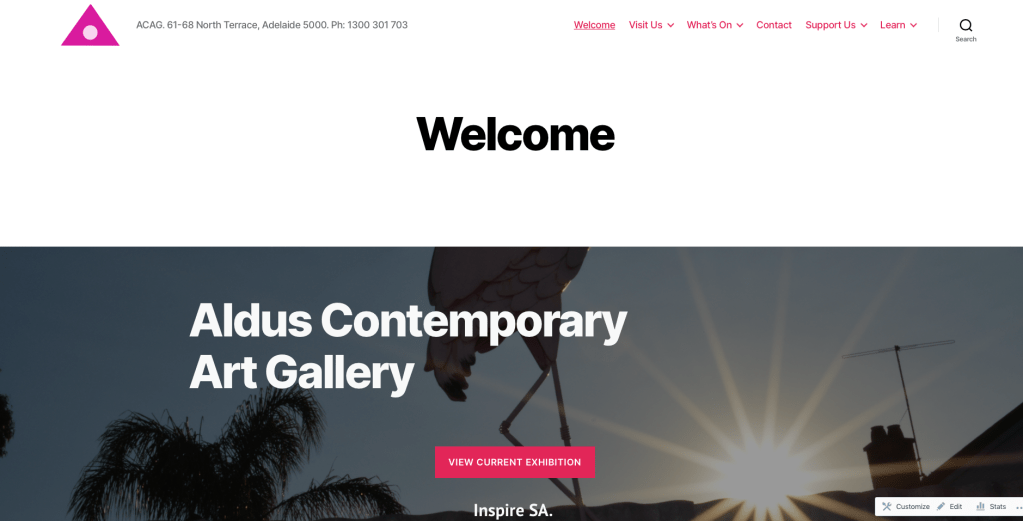
Screen shot of homepage from web development assignment
Home page with hero image, simple navigation and search function
Image from http://www.webassignthree.wordpress.com
(OMG I just cited myself 🙂 )

After the reading the articles by Gambrell (2015), Hadley (2017) and Piola (2018) I incorporated at least five of their recommendations into my website.

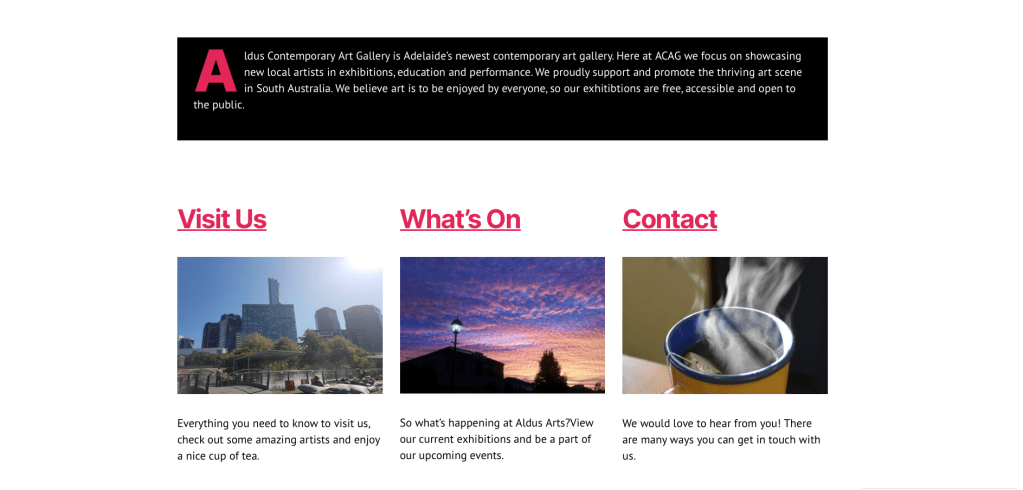
As I chose an art gallery for my assignment the article by Hadley (2017) was particularly useful. Hadley’s advice was very logical and derived from their own research into the design of museum websites, when combined with my own it seemed to represent the industry’s best practice. I separated my content into three main groups of visitor information, what’s on at the gallery and other essentials. I also used a picture of the outside of a building as the feature image in my Visit Us section as Hadley (2017) says this inspires visitors to feel that the gallery is a “magnificent place to explore.” 

After reading the article by Piola (2018) I was convinced not to include a slider of images and instead opted for a hero image on the homepage, this is better for screen readers as well as it part of the background. Piola (2018) argues that sliders have a low engagement rate and do not respond well to the resizing on mobile sites. Another brilliant tip from Piola (2018) was to include a donation button on the site and have it featured prominently on every page. I created a page dedicated to donations and different methods of support after reading this. As Piola (2018) says “asking for donations straight out is the best way to get them.”

The article by Gambrell (2015) reminded me to keep the website simple. As recommended I have not used any library or technical jargon, I made the search bar visible on every page and tried to keep the home page clear and without clutter. All of this results in a website that is easy to use for a better user experience.

Page divided into three main sections with the exterior of building in the Visit Us section.
Image from http://www.webassignthree.wordpress.com

References

Gambrell, K. (2015). 7 best practices for creating a user friendly library website. Retrieved from https://www.ebsco.com/blog/article/7-best-practices-for- creating-a-user-friendly-library-website 

Hadley, P. (2017). What do the best museum websites all do? Retrieved from https://blog.cogapp.com/what-do-the-best-museum-websites-all- do-8d6727504605

Piola. (2018). 8 tips to improve your library’s website design. Retrieved from https:// meetpiola.com/8-tips-to-improve-your-librarys-website-design/

Week 6: Web Design

http://www.jamfactory.com.au

The Jam Factory

http://www.jamfactory.com.au

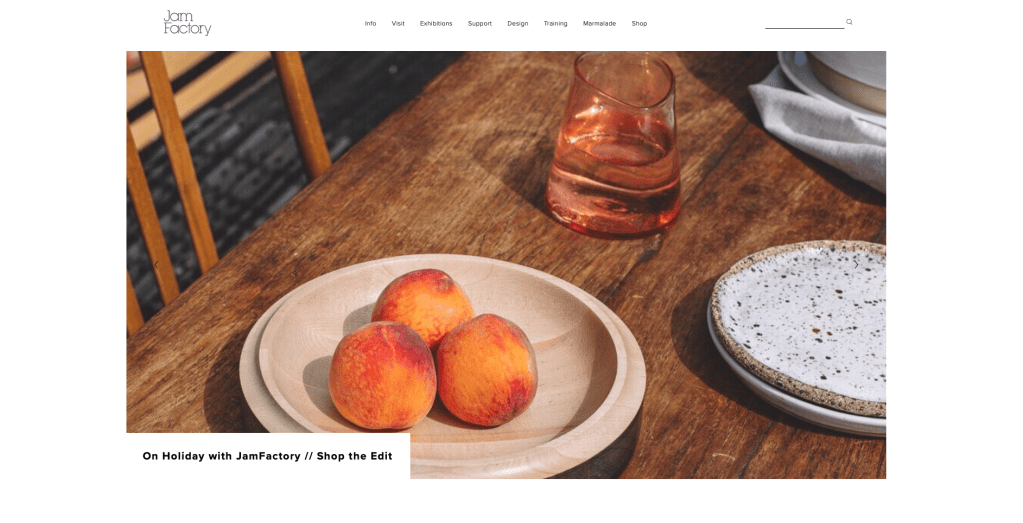
My first impressions of The Jam Factory’s website were overwhelmed by a huge hero image on a slider, which scrolled too fast for me to see which exhibition they are promoting.

The rest of the website is very clean and simple. The understated navigation menu is across the top and separated into eight options of Info, visit, Exhibitions, Support, Design, training, marmalade and shop, plus the search bar. The footer of every page is consistent and contains all the address, contact and opening hours information for their three physical sites. There is a very subtle “Board Resources” button on the bottom right corner which leads to a password protected gate. The website has a hierarchal structure and the organisational is topical, with the most important first in the order of What? Where? What will I Do/See? as discussed by Hadley (2017).

To improve accessibility I think the text on the navigation buttons should be made larger and the buttons further apart. I appreciate the minimalist aesthetic but an outline of the actual button would be useful. I think the pop-up on the home page is annoying and unnecessary. The contrast of the text and background colour is excellent, although the hover colour on the hyperlinks is a bit too subtle. The images are not used as links so the site would work well as text-only.

Overall I think the site is beautifully designed. The text is set precisely, albeit too small, but their use of negative space really simplifies the text and makes the images stand out. All the information a person would need to plan a visit there is present, even which bus to catch and nearby eateries. Nothing is more than 3 clicks away. Although there are more than seven categories in the navigation menu, they have managed to present a huge amount of information in a very clean way which is easy to navigate and understand.

Hadley, P. (2017). What do the best museum websites all do? Retrieved from  https:// blog.cogapp.com/what-do-the-best-museum-websites-all-do-8d6727504605

Week 5: Data Mining & Democracy

Image credit: https://www.promptcloud.com/blog/revenue-management-system-vs-barebones-data-feeds/

Here is my response after reading the article entitled “When algorithms control information, what of democracy?” (ABC News, 2017).

•What were your first thoughts on reading the article?

I had never heard of the OCEAN test before and quickly googled it and took the test. I was quite astounded by how accurate it was, the personal analysis report was a priceless piece of market research.

While completing my media degree I read a lot about the media’s supposed role of being the fourth estate, the entity free any bias that informs the public of the happenings of the government. Yet I feel that now we cannot escape bias, whether it’s commercial television or the internet, we are always being manipulated.

•Do you think people are aware of the issue?

Algorithms are not new, I think many people are aware of this issue, yet possibly not to the extent to which it penetrates our lives. Even I was stunned when the Liberals won the last election, I had not seen one positive piece of media about them. All my friends on facebook are quite left leaning or silent so it was easy to think that that was the general consensus. Of course my white male baby boomer father was not surprised when the Liberals won, which highlights the effect of confirmation bias from search algorithms as discussed in this week’s lecture.

•What can be done to combat the issue, or does anything need to be done?

There are a lot of benefits to machine learning and using algorithms both to our society and economy. Yet to combat this issue we would need to focus on public awareness, so people know the extent of the information being collected about them, how it is being used and what they can do about it. Most importantly people need the digital literacy skills to be able to think critically, question everything and evaluate resources.

•Are universities the right place to teach data ethics?

Although ideally the information should be freely available to everyone, universities are educating the next generation of data scientists and software developers who will build the technology that utilises these algorithms. They need to understand the social ramifications of products they build. It would benefit all students, such as politics and sociology students, to study data ethics.

•Do we need regulation?

I believe that we do need regulation in this area. How far is too far? As Keary (2019) points out, what is personal data has not been legally defined in the United States, and having the legal right to collect data and using it ethically are two different subjects, so legislation needs to be implemented in this area to protect people’s personal privacy.

References:

Keary, T. (2019). The balancing act of data mining ethics: the challenges of ethical data mining.Retrieved fromhttps://www.information-age.com/data-mining-123481736/

ABC News. (2017). If Google and Facebook rely on opaque algorithms, what does that mean for democracy? [online] Available at: http://www.abc.net.au/news/2017-08-10/ai-democracy-google-facebook/8782970?pfmredir=sm

Week 4: Augmented Reality

Image credit: http//:thinkspace.csu.edu.au/cindy/2017/01/22/digital-materialsresources-and-emerging-technologies/

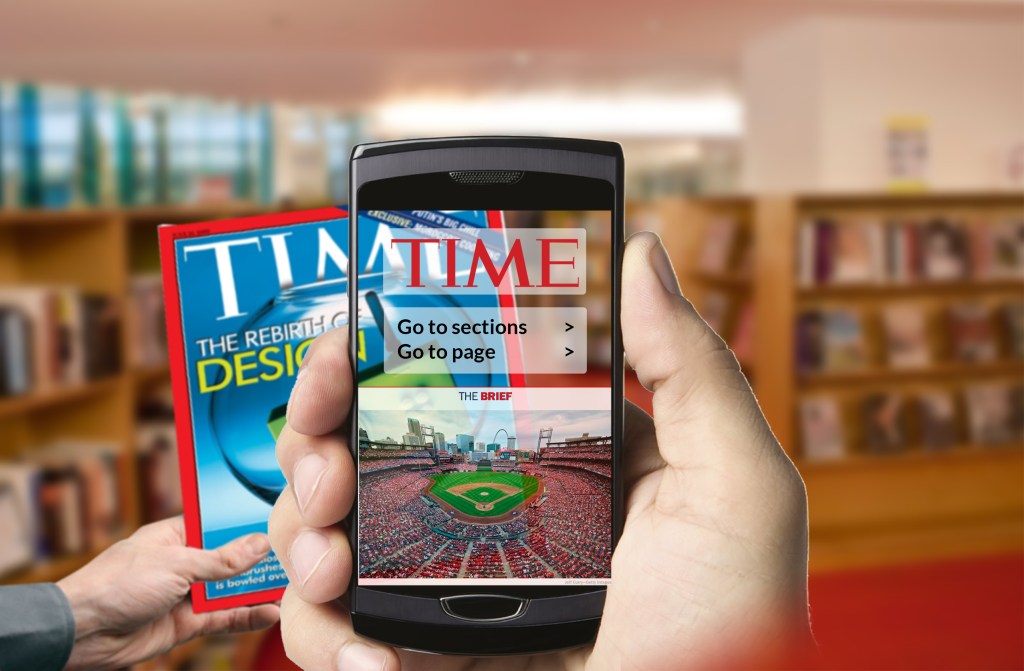
The use of augmented reality (AR) in libraries has great potential to enhance the experience of users and assist librarians. Augmented reality has been defined in various ways but is essentially technology which “superimposes computer-generated graphics on the real world, allowing the user to experience a blend of the digital and physical worlds” (Greene & Groenendyk, 2018).

Utilised through a smartphone, tablet or other compatible device, augmented reality could be used in a library as extra signage or way finding assistance. Or a user could scan the front of a book and have a digital layer added to the image including links to book reviews, interviews with the author or recommendations of similar books and where to find them. Users would have access to information faster and more independently than they do now. There is also great potential for this technology to be used in children stories, providing an interactive way for children to learn literacy and digital skills.

The challenges to widespread implementation of this technology include that it cannot be accessed without an internet connection, a connected device and the relevant applications. Ideally a library would have these tools available for users to borrow. Also of a concern is that some people will find the technology difficult to use. This might be due to a lack of digital literacy skills, the perception that it is just for young people or due to physical limitations. The current set up of this technology requires the dexterous use of two hands, although this may change if the adoption of wearable AR glasses becomes widespread.

Greene, D., Groenendyk, M. (2018) Virtual and Augmented Reality as Library Services. Computers in Libraries, Vol. 38, 1, 4-7.

Week 3: The Dark side of Personal Assistants.

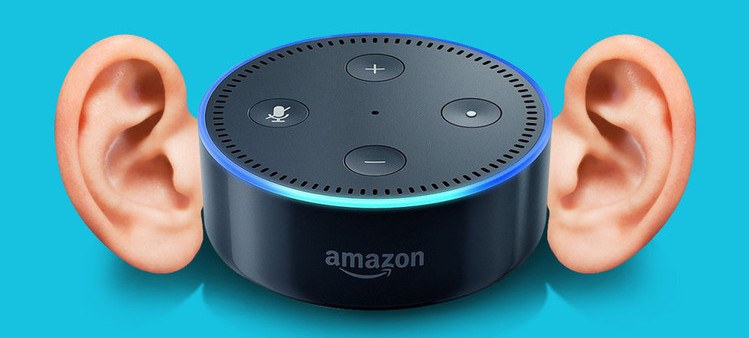
In recent years the popularity of voice activated personal assistants has risen steadily. The use of these assistants in a library space could be seen as a welcome convenience. They could be used to control aspects of the building and environment, such as the lights and air conditioning or more personal uses such as book recommendations or answering ready reference questions.

With this convenience comes certain security risks. These devices are almost always left on, waiting for their wake up command. They can easily be triggered into action by general conversation and background sound such as TV. All voice commands are recorded and stored in the cloud by the manufacturer. In the past they have recorded entire conversations without the participants being aware. In the case of Amazon’s Alexa some of these audio files are then listened to by a human in the pursuit of improving services. (Lynskey 2019)

These factors highlight the risk to personal privacy inherent with using these devices. One of their aims is to collect personal data which can then be monetised to advertisers (Lynskey 2019). There is the potential for virtual assistants to be hacked and used to eavesdrop or remotely download malware to connected devices (Yip 2017).  As Dara (2019) discusses, these devices are vulnerable to malfunctions which may inadvertently share sensitive information. Considering these issues we need to evaluate whether the benefit of these devices outweighs the privacy risk to not only ourselves, but everyone who comes into contact with them.

References:

Lynskey, D. (2019, October) Alexa, are you invading my privacy? The Guardian. Retrieved from https://www.theguardian.com/technology/2019/oct/09/alexa-are-you-invading-my-privacy-the-dark-side-of-our-voice-assistants

Yip, K. (2017, August) Top 10 threats from unprotected intelligent personal assistants (IPAs). Retrieved from https://resources.infosecinstitute.com/top-10-threats-unprotected-intelligent-personal-assistants-ipas/#gref

Dara, R. (2019, December).  The dark side of Alexa, Siri and other personal digital assistants. The conversation. Retrieved from https://theconversation.com/the-dark-side-of-alexa-siri-and-other-personal-digital-assistants-126277

Image credit:

https://www.maketecheasier.com/security-privacy-tips-google-home-echo/ retrieved 05/02/2020

Week 2: A Familiar Network

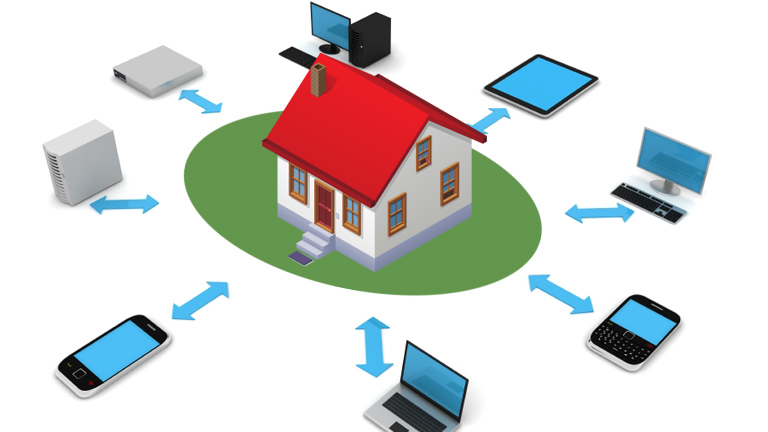
Star typology Home Network
image: https://www.cert.gov.lk/CyberGuardian/122015/index.htm

As most of my work is with very small businesses or extremely large ones, like the council, the only network I am really familiar with is my one at home.

We have one router connected to the NBN box and three computers, three phones, an iPad, a smart TV, a Playstation and a printer connected to it. All these devices, or nodes, are connectedly wirelessly over wifi. There are several ethernet ports available but using them isn’t practical as we would need cable all over the house. They are connected in a star typology as the computers are not connected to each other. For security, the default user name and password was changed immediately.

One of the advantages is that all these devices are able to access the printer over the network. Plus, if we wanted to we could attach an external hard drive to the router to use as a shared drive or share files between the computers using AirDrop. We could also create parental controls or a VPN at the router level but realistically we do not need any these of features. Each household member is responsible for their own back up of data. It is useful to play videos from the phones on the TV, which connect automatically as they are on the same network.

This network is generally very effective. To improve it we could install a wifi extender so we would have better coverage in the backyard, but inside the house works well. Since we have moved over to the NBN recently we have experienced a drop in our internet speeds and more congestion. I am considering moving to a faster NBN plan to determine whether that would improve the situation.

Welcome to my blog!

Week 1

Hi Everyone,

My name is Amy and this is my second subject in the Graduate Diploma of Information Management as an external student. Its been ten years since I finished my first degree so I’m still getting used to being back and the new learning environment. I have a Bachelor of Media from Adelaide Uni and qualifications in graphic design and web development. I like to be involved with the arts whenever I can and currently work in arts theatres. I’ve been inspired greatly by the author talks and other events that my local library hosts at my workplace.